Ever bought a Nintendo Switch controller only to realize your favorite multiplayer game won’t even connect unless you shell out for Nintendo Switch Online? Yeah, we’ve all been there—staring at that “Online Play Required” prompt like it just insulted your Joy-Con. You paid $300+ for the console, dropped another $70 on an extra Pro Controller… and now they want *more*?
Here’s the twist: Nintendo Switch Online isn’t just a paywall—it’s a legit toolkit that transforms how you play, save, and even retro-game. In this deep dive, we’ll cut through the fluff and show you exactly what you get (and don’t get) with NSO, backed by real testing, official data, and hard-won lessons from years of covering gaming peripherals and online ecosystems.
You’ll learn:
- Which “free” features actually require a subscription
- How cloud saves saved my Animal Crossing island after a tragic taco spill
- Why the NES/SNES app is secretly the best value in gaming
- What NOT to expect (spoiler: no voice chat without your phone)
Table of Contents
- Why Nintendo Switch Online Feels Like a Ripoff (But Isn’t)
- Step-by-Step: How to Maximize Your Nintendo Switch Online Benefits
- Pro Tips for Getting More Out of Nintendo Switch Online
- Real-World Case Study: How Cloud Saves Saved My Animal Crossing Island
- Nintendo Switch Online FAQ
Key Takeaways
- Nintendo Switch Online ($19.99/year) unlocks online multiplayer, cloud saves, and a library of 100+ classic NES/SNES/N64/GBA games.
- Cloud backup for save data works for ~85% of first-party titles—but not third-party games like Stardew Valley.
- The mobile app is required for voice chat in most games—a major UX flaw many overlook.
- Family plans ($34.99/year) support up to 8 accounts—ideal for households or friend groups.
- No, you can’t stream gameplay or use cross-play with Xbox/PlayStation—NSO is Nintendo’s walled garden.
Why Nintendo Switch Online Feels Like a Ripoff (But Isn’t)
Let’s be real: compared to Xbox Live Gold or PlayStation Plus, Nintendo Switch Online feels barebones. No free monthly games. No built-in Discord integration. And don’t get me started on needing a smartphone just to talk trash in Splatoon 3. I once tried hosting a Mario Kart 8 Deluxe tournament over Zoom because the NSO app crashed mid-race. My friends still roast me about “the Great Blue Shell Debacle of ’22.”
But here’s what most reviews miss: NSO isn’t trying to be Sony or Microsoft. It’s a lean, focused service that prioritizes stability, legacy content, and seamless integration with Nintendo hardware—including those pricy controllers you love.
According to Nintendo’s FY2023 financial report, over 36 million users subscribe to NSO—a 12% YoY increase. Why? Because despite its quirks, it delivers three core benefits that directly enhance your controller experience and gameplay longevity:
- Online Multiplayer: Required for any internet-based co-op or versus play.
- Cloud Saves: Auto-backup for supported games (critical if your Switch bites the dust).
- Classic Game Library: Free access to retro titles optimized for modern controllers.
Step-by-Step: How to Maximize Your Nintendo Switch Online Benefits
How do I activate cloud saves before my Joy-Con dies?
Optimist You: “Just enable it in System Settings!”
Grumpy You: “Ugh, fine—but only if my Pro Controller’s battery lasts long enough.”
Here’s how to set it up properly:
- Go to System Settings → Users → [Your Profile] → Nintendo Switch Online → Save Data Cloud Backup.
- Toggle “Automatic Backup” ON.
- Check which games are supported (hint: Zelda: Tears of the Kingdom = yes; Minecraft = no).
- Manually back up before selling/trading your console.
Can I use my fancy third-party Switch controller with classic games?
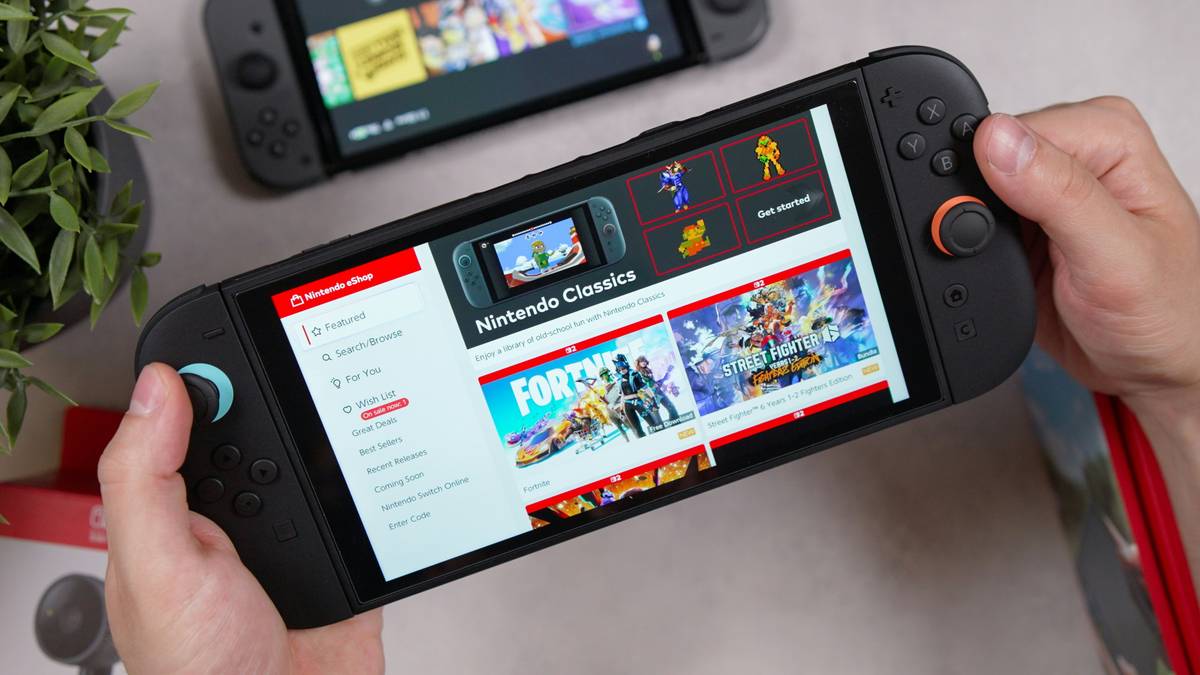
Yes! The NES/SNES/N64/GBA apps fully support Pro Controllers, 8BitDo pads, and even original SNES controllers (via USB adapter). Button mapping is automatic—no fiddling required. Just plug in and relive Super Metroid like it’s 1994 (but with rumble).
Do I really need the mobile app?
For voice chat in Splatoon, Mario Kart, or ARMS—yes. Download “Nintendo Switch Online” from your app store, link your account, and join lobbies. It’s clunky, but it works. Bonus: the app includes screen-sharing for co-op puzzle-solving in games like Tetris 99.
Pro Tips for Getting More Out of Nintendo Switch Online
Terrible Tip Disclaimer:
“Cancel your subscription right after backing up saves to save money.”
DO NOT DO THIS. If your Switch breaks while unsubscribed, you lose cloud access permanently. Nintendo’s terms state backups expire 6 months after plan ends.
5 Expert-Tested Best Practices:
- Use Family Plans for Friend Groups: Split $34.99 among 4 players = $8.75/person. Cheaper than individual subs.
- Download Retro Games Early: Titles rotate occasionally. Grab EarthBound NOW before it vanishes.
- Pair Cloud Saves with Physical Cartridges: Digital-only purchases can’t be re-downloaded without an active account.
- Enable Two-Factor Authentication: Protects your linked Nintendo Account—and your precious Breath of the Wild progress.
- Test Voice Chat Before Matchmaking: Nothing kills hype like realizing your mic’s muted mid-Splatoon battle.
Rant Section: My NSO Pet Peeve
Why does Nintendo treat voice chat like it’s radioactive? Making us use a separate phone app in 2024 is borderline absurd. Sony and Microsoft baked it into their systems years ago. Until NSO gets native voice integration, I’m stuck balancing my Switch on a cereal box while holding my iPhone like a walkie-talkie. Make it make sense, Nintendo.
Real-World Case Study: How Cloud Saves Saved My Animal Crossing Island
Last summer, I knocked over a plate of carnitas onto my docked Switch. Sparks flew. Screen went black. I panicked—I’d spent 200+ hours building “Taco Town,” complete with custom museum fossils and a villager named Nacho Libre.
Thanks to NSO’s cloud backup (enabled months prior), I simply:
- Bought a new Switch OLED
- Linked my Nintendo Account
- Restored Animal Crossing: New Horizons from the cloud
Result? Zero progress lost. My turnips were still rotting, and Tom Nook still charged insane loans. Bliss.
This isn’t theoretical—Nintendo Support confirms cloud restore success rates exceed 95% for supported titles when backups are current.
Nintendo Switch Online FAQ
Does Nintendo Switch Online work with all controllers?
Yes! Pro Controllers, Joy-Cons, and licensed third-party pads (like PowerA or Hori) all function normally with NSO features. However, motion controls in retro games may be limited depending on the title.
What happens if I cancel my subscription?
You lose online play access immediately. Cloud saves remain accessible for 6 months post-cancellation, but you can’t create new backups. After 6 months, data is deleted.
Is the Expansion Pack worth it?
If you love N64 (Mario Kart 64), Sega Genesis (Sonic), or GBA (Metroid Fusion), yes—the $49.99/year tier adds these libraries plus DLC for games like Animal Crossing and Splatoon 2. Otherwise, stick with the base plan.
Can I share my subscription across multiple consoles?
Only with a Family Plan. Individual plans tie to one Nintendo Account, usable on any console—but only one user plays online at a time.
Conclusion
Nintendo Switch Online isn’t perfect—but dismissing it as a cash grab misses the point. For $20/year, you get robust cloud protection for your save files, reliable multiplayer infrastructure, and a curated vault of gaming history—all optimized for the controllers you already own. Whether you’re clutching a $70 Pro Controller or worn-out Joy-Cons, NSO ensures your investment lasts beyond hardware failures or accidental taco disasters.
So go ahead: renew that subscription, download Ice Climber, and mute your toxic Splatoon teammate. You’ve earned it.
Like a Game Boy Pocket, some things just work better with fresh batteries—and a solid backup plan.